
5 minutes
Tech Review: AJAZZ AKP03E and OpenDeck
I’ve been spending an increasing amount of my leisure time editing videos in Davinici Resolve. Whilst my laptop isn’t really up to the task, I have created some drone and garden bird footage which makes me happy.
Looking for a way to make the editing process easier, I stumbled upon the AJAZZ AKP03E desk controller, which was on sale at AliExpress for only £26.51, delivered from China to the UK.
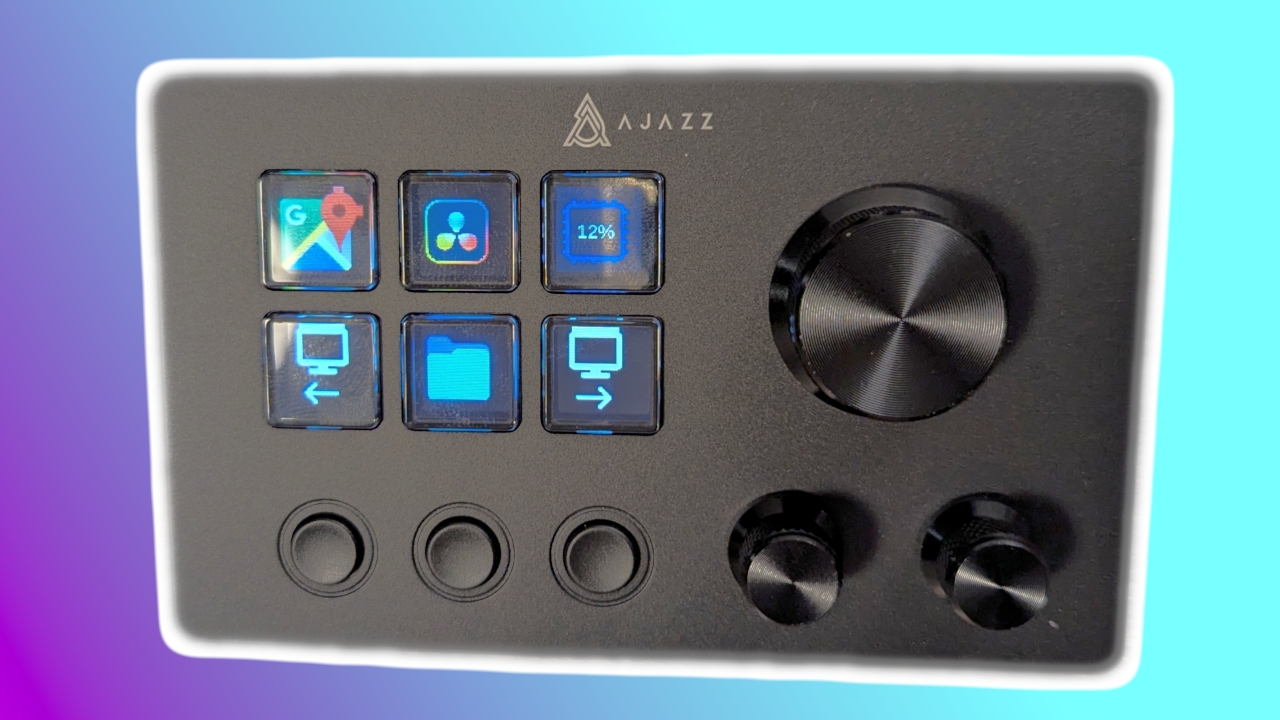
This is a Stream Deck-like device with a set of programmable buttons (some of which incorporate little LCD displays to show custom icons) and dials which can send complex keyboard shortcuts, mouse events and other input features to the laptop. The aim was to have my common editing and timeline manipulation tasks at my fingertips.
The device
First things first, this thing looks - and feels - pretty cheap. It is a wedge shaped piece of dark gray plastic, with cutouts at the sides and rear through which the supplied USB A to C cable can be threaded to connect it to the laptop. The “icon” buttons have a soft and imprecise action, similar to the keyboard membrane on the original ZX Spectrum. The three buttons underneath are clunky and clacky. The rotary dials, by contrast, feel hefty and positive with good feedback.
The software
I decided to avoid the manufacturer’s driver software, having seen it clock in at nearly a gigabyte in size. Such levels of bloat do not sit well with me. (Any uneasiness about installing software from an unknown source has to be countered by the fact I’m plugging a piece of unvetted hardware into a USB port, which is an equal or greater security risk. Hey ho.) Instead, I decided to install OpenDeck, and open source replacement for the original Stream Deck software, which has a plugin to extend support to the AKP03E. OpenDeck is supported on Linux, MacOS and Windows but the author of the plugin explicitly only supports Linux, with MacOS being a secondary consideration and Windows being totally unsupported.
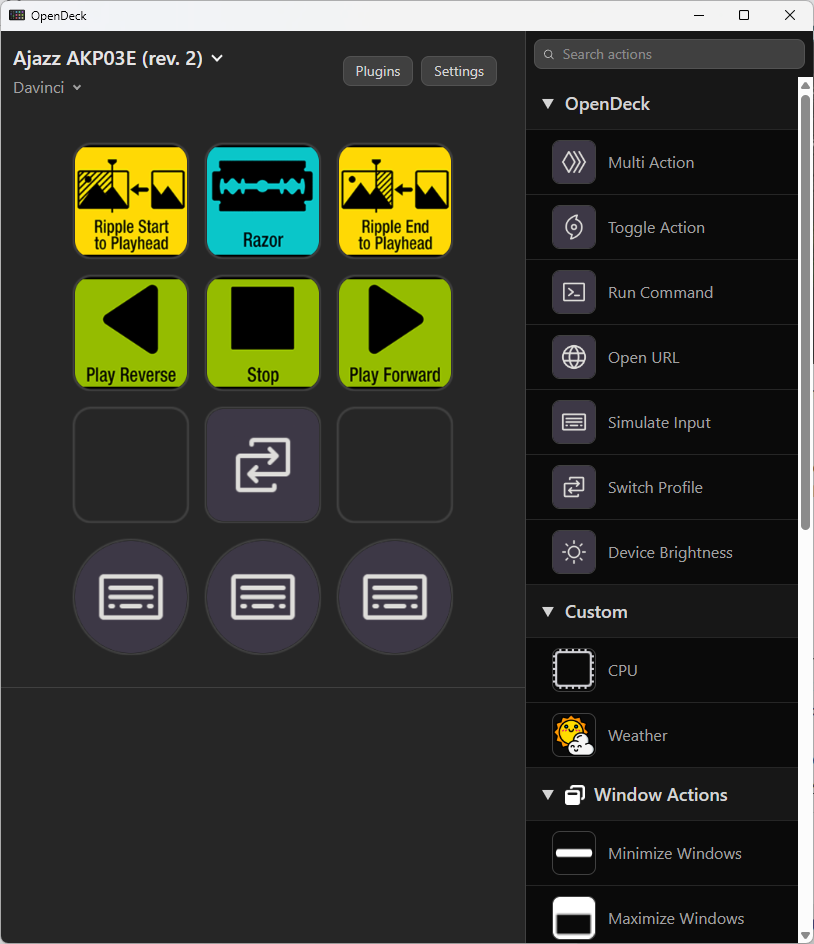
But who needs support, anyway? After installing the software and plugin on my Windows laptop, everything “just worked” when I plugged in the device.
I would describe OpenDeck as “functional” rather than “elegant”. Assigning commands, icons and labels to buttons can be somewhat tortuous and error prone. It is never clear when a setting has been saved, or whether it will be lost when clicking onto another UI element. The method of assigning keypresses is arcane and badly documented. Indeed, the only documentation for the command syntax is a link to the source code of the upstream Rust library being used for keyboard and mouse events. Nevertheless, with a bit of bloody-minded patience interspersed with a touch of Celtic profanity, I was able to assign useful functions to the buttons and dials. Disappointingly, I wasn’t able to assign different actions to the dials when they were in their “clicked and held down” state compared to their released state, but that was a minor niggle.
OpenDeck uses a plugin system to extend the available actions and supported devices. I found these plugins a bit hit-or-miss. Some of them work perfectly. Others only support Linux, or need extra software such as node installed. A few seem completely broken with no indication why. But overall the ecosystem is quite rich.
Settings are stored in OpenDeck itself; if the device is plugged in without the software running the buttons just show the boot logo and it does not function. I’ve set OpenDeck to run in the background at boot. I had to set it to stop nagging me about available updates, as they come thick and fast and were annoying to see at every login.
In use
I really like it! To be honest, I feel a bit lost if I try to edit a video without it plugged in. I have the rotary dials set to work frame-by-frame or cut-by-cut through my timeline, with the third wheel working to zoom in and out the timeline view. The icon buttons are set to replicate some of the “Cut Page” tasks in the richer “Edit Page” of Davinci Resolve. I also have play controls, and the remaining unlabelled buttons are used to access different modes and profiles. Sadly, I couldn’t really emulate proper jog-wheel functionality with the rotary dials, but that wasn’t too much of a loss for my needs.
Grumbles? Well, although the little LCD screens are clear and have good colour, the images are quite “offset” under the keys, being pushed to the left and near to the bottom when viewed straight-on. The action of the keys is a bit spongy, as commented above. The USB-A end of the cable makes a terribly unreliable connection, disconnecting and reconnecting the device if the cable is jiggled at all. And OpenDeck crashes every now and then, although it can be restarted very quickly.
Overall, for under 30 quid (and an afternoon of swearing at the computer) I’m very pleased with this product. It is fun and useful, and I’m still using it after the novelty has worn off.
Edit: Using on MacOS
Having recently treated myself to a secondhand MacBook M1 Max for my video editing, I have now tried OpenDeck on MacOS. I started by transplanting my Windows configuration files directly, which was only partially successful. Beyond the expected chore of switching the occasional “Ctrl” to “Command”, the MacOS version does not recognise individual letters as keys. Instead, to represent - say - the “L” key it is necessary to use the construct uni('l') in the configuration box. An added frustration, which may be familiar to more-seasoned MacOS users than myself, is that MacOS discreetly substitutes the expected single quote ' characters with fancy unicode opening and closing single quotes. These are not recognised by OpenDeck’s parser and are easy to miss when typing. It is possible to coerce MacOS to insert the “proper” character by an easily forgotten combination of modifier keys, but the more sensible approach is to switch off “Smart Quotes” in the system settings. MacOS really is full of daft ideas!
1017 Words
2026-04-20 15:16